Share proof with a prospect
You just talked to a prospect and they are deciding who to hire. Share proof sends them a clean page of jobs like theirs, with your clients' words. Then you see when they open it.
-
Click Share proof
Click Proof in the menu, then Share proof. Or click Send proof on someone in Referrals, and their name is filled in for you.

-
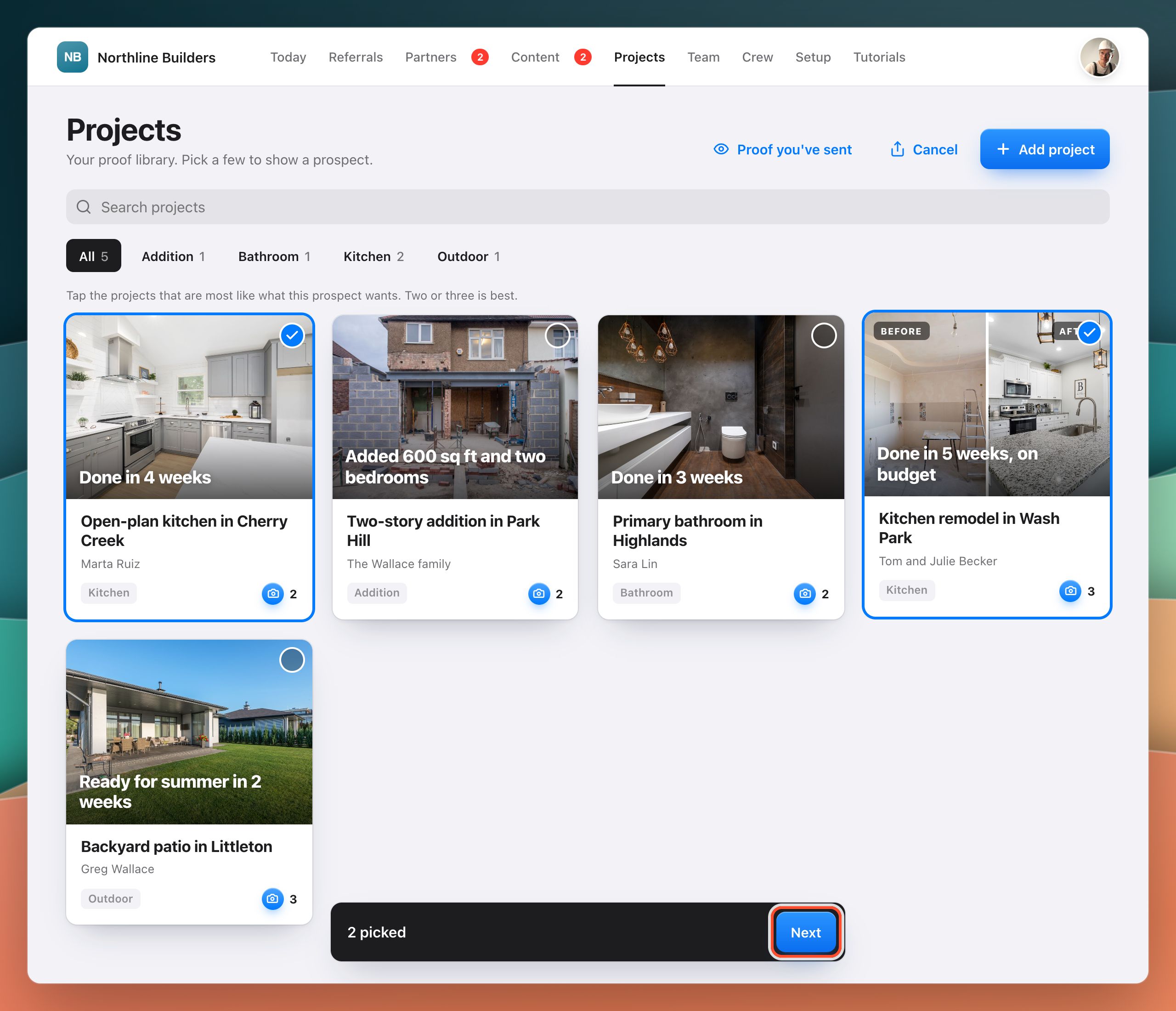
Pick the jobs most like theirs
Click the jobs. Two or three is best. A blue tick shows what you picked. Then click Next at the bottom.
-
Fill in who it is for
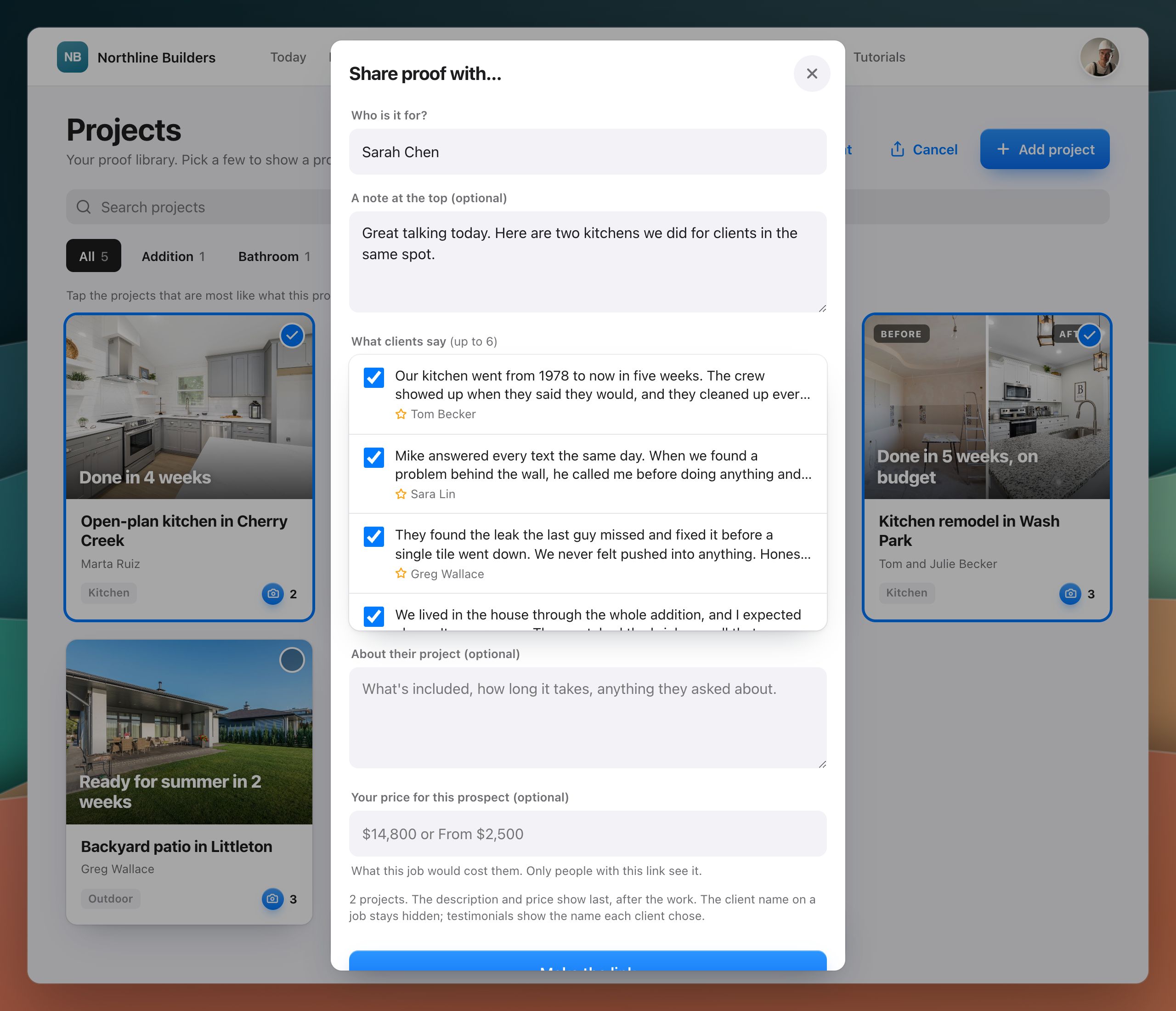
- Who is it for?
- Their name. The page greets them by it.Example Sarah Chen
- A note at the top
- Optional. One or two friendly lines.Example Great talking today. Here are two kitchens we did for clients in the same spot.
- What clients say
- Your starred testimonials are already ticked, up to six. Change them if you like.
- About their project
- Optional. What is included, how long it takes, anything they asked about.Example New cabinets, counters and an island. About five weeks from start to finish.
- Your price for this prospect
- Optional. Only people with this link see it.Example From $38,000
-
Make the link and send it
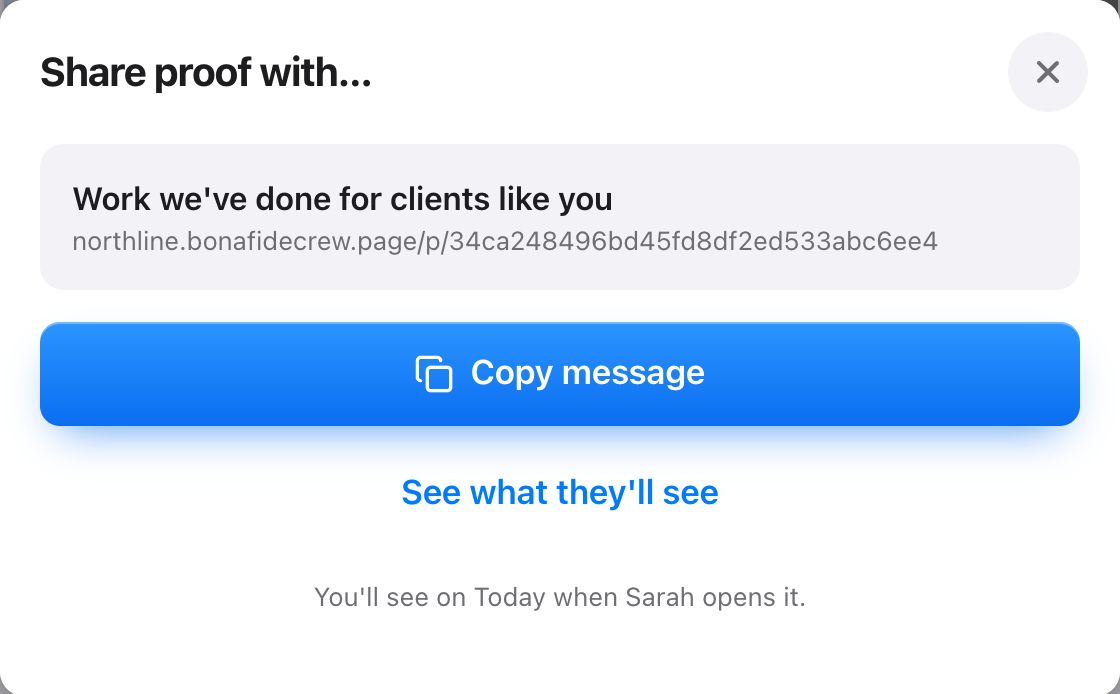
Click Make the link, then Copy message, and paste it into a text or email. See what they'll see shows you their page first.
-
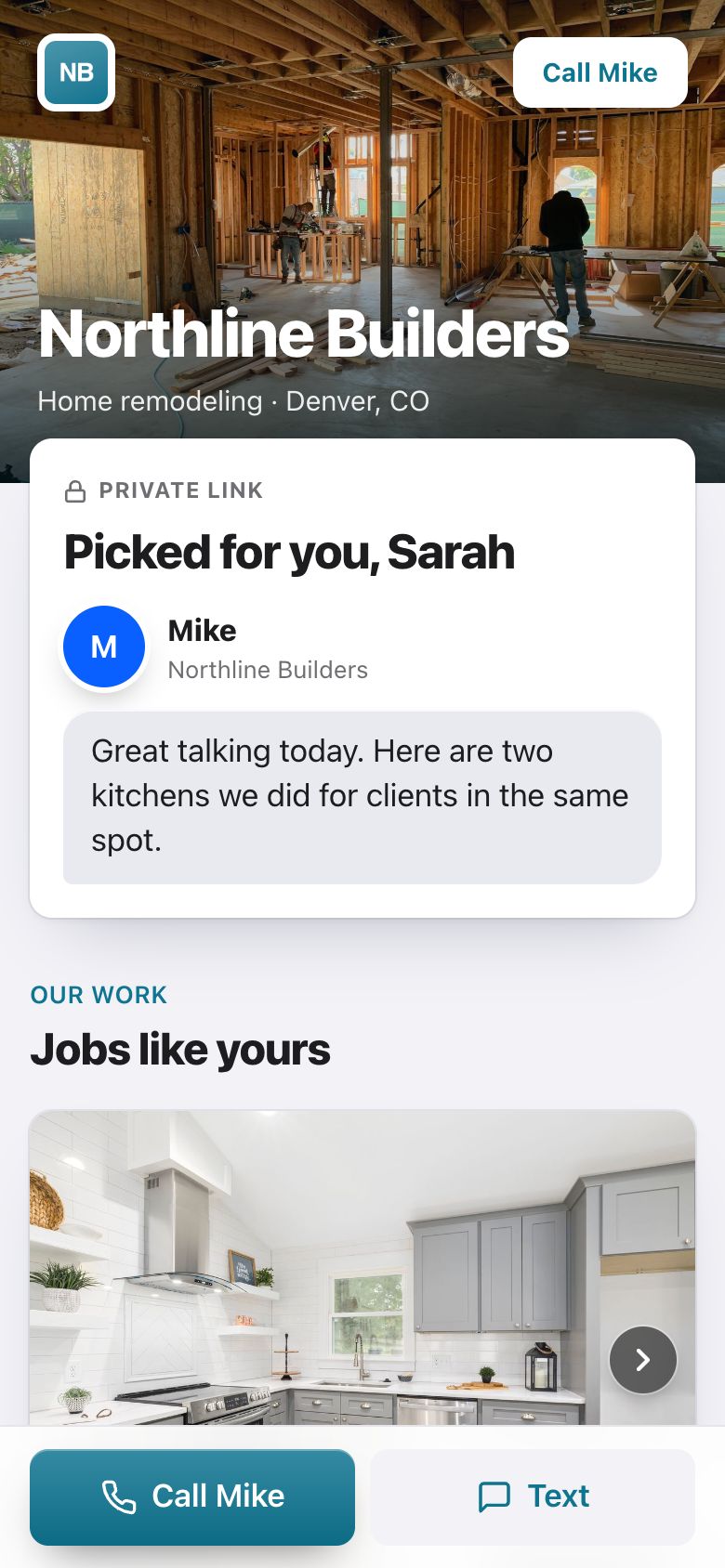
What your prospect sees
A clean page made just for them, with your logo and colors. No login.
-
Watch for the open
When they open it, Today tells you, and the count goes up each time they look. It is a good moment to reach out.
-
See every link you sent
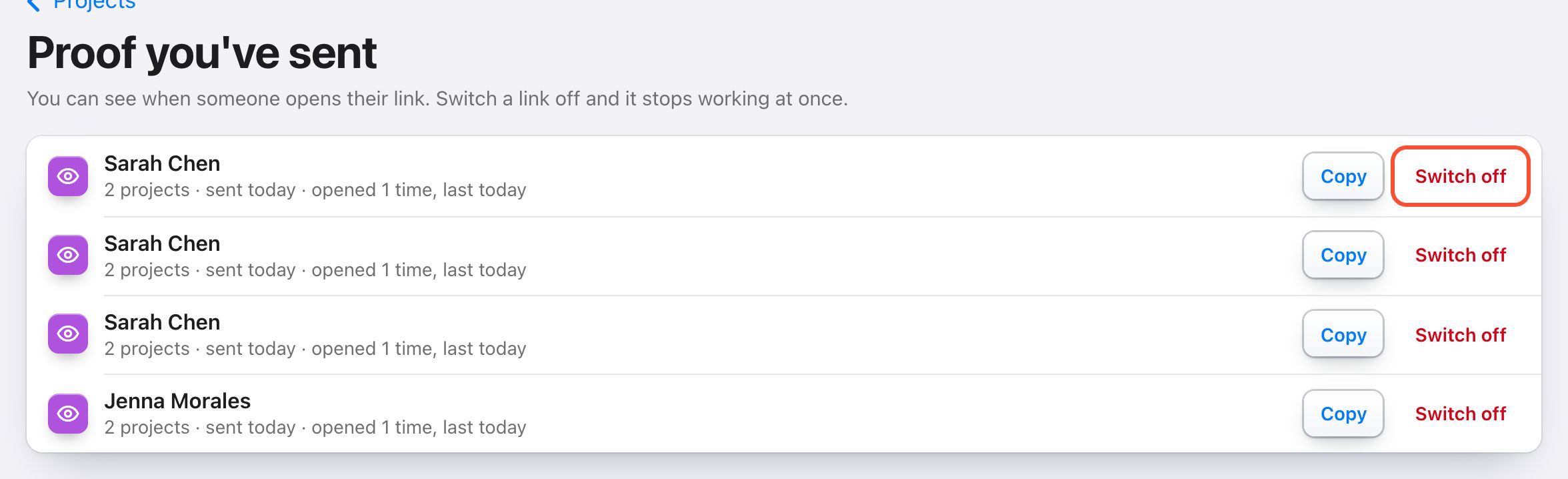
Click Proof you've sent on Proof. Each link shows how many times it was opened. Copy gets the link again, and Switch off stops it working at once.
Stuck? Write to us at support@bonafidecrew.com.