Add partners and share their link
Partners are the people who already send you work: past clients, real estate agents, designers, other trades. Each one gets their own page to share. They need no account and no app.
-
Add a partner
Click Partners in the menu, then Add partner.
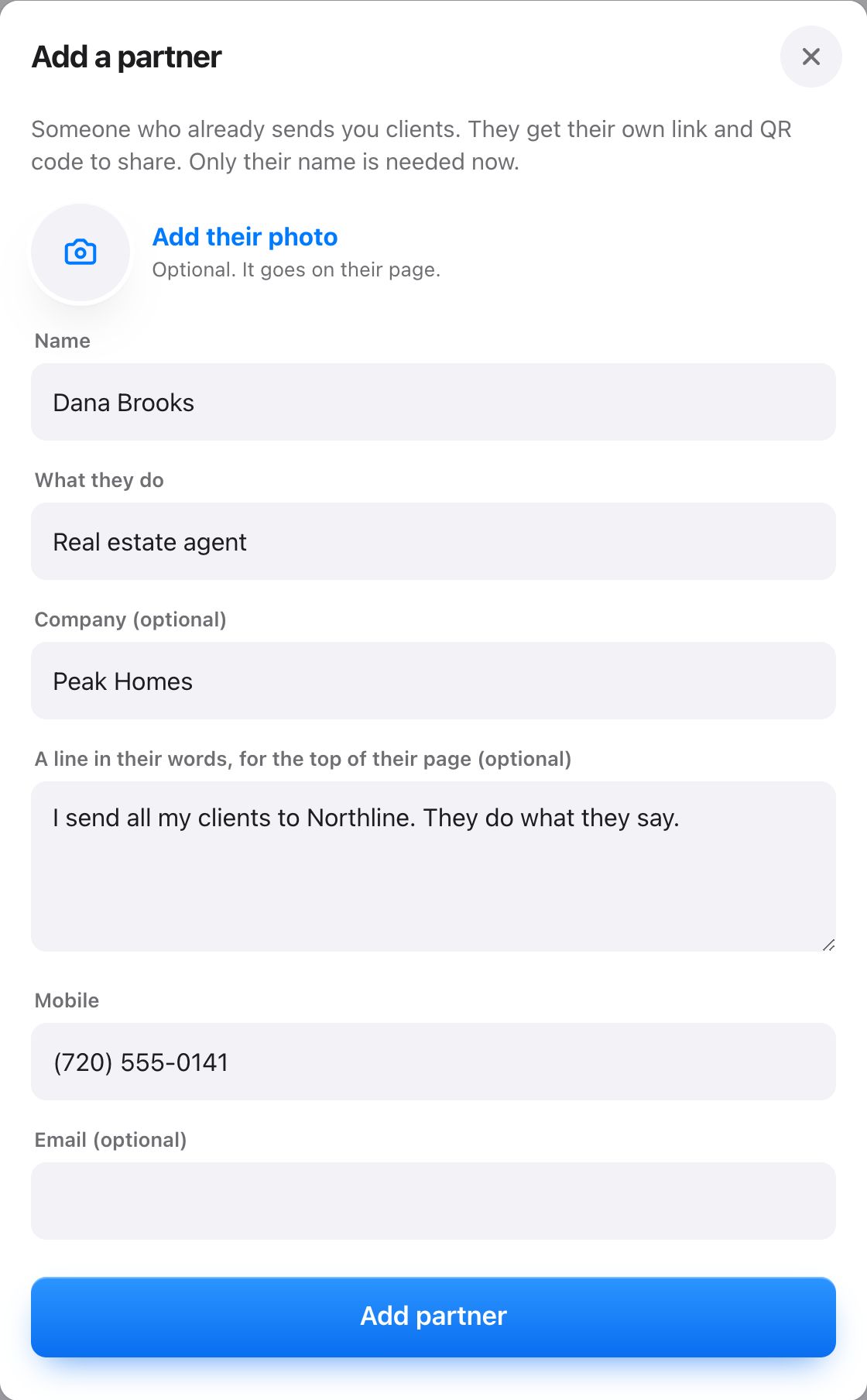
- Name
- Their full name.Example Dana Brooks
- What they do
- Shown on their page, so their friends know who they are.Example Real estate agent
- Mobile
- So you can text them their link.Example (720) 555-0141
- Photo, company, a line in their words and email
- Optional. Friends trust a recommendation more with a face and a few real words. You can add these later from their screen.
-
Open them and send their link
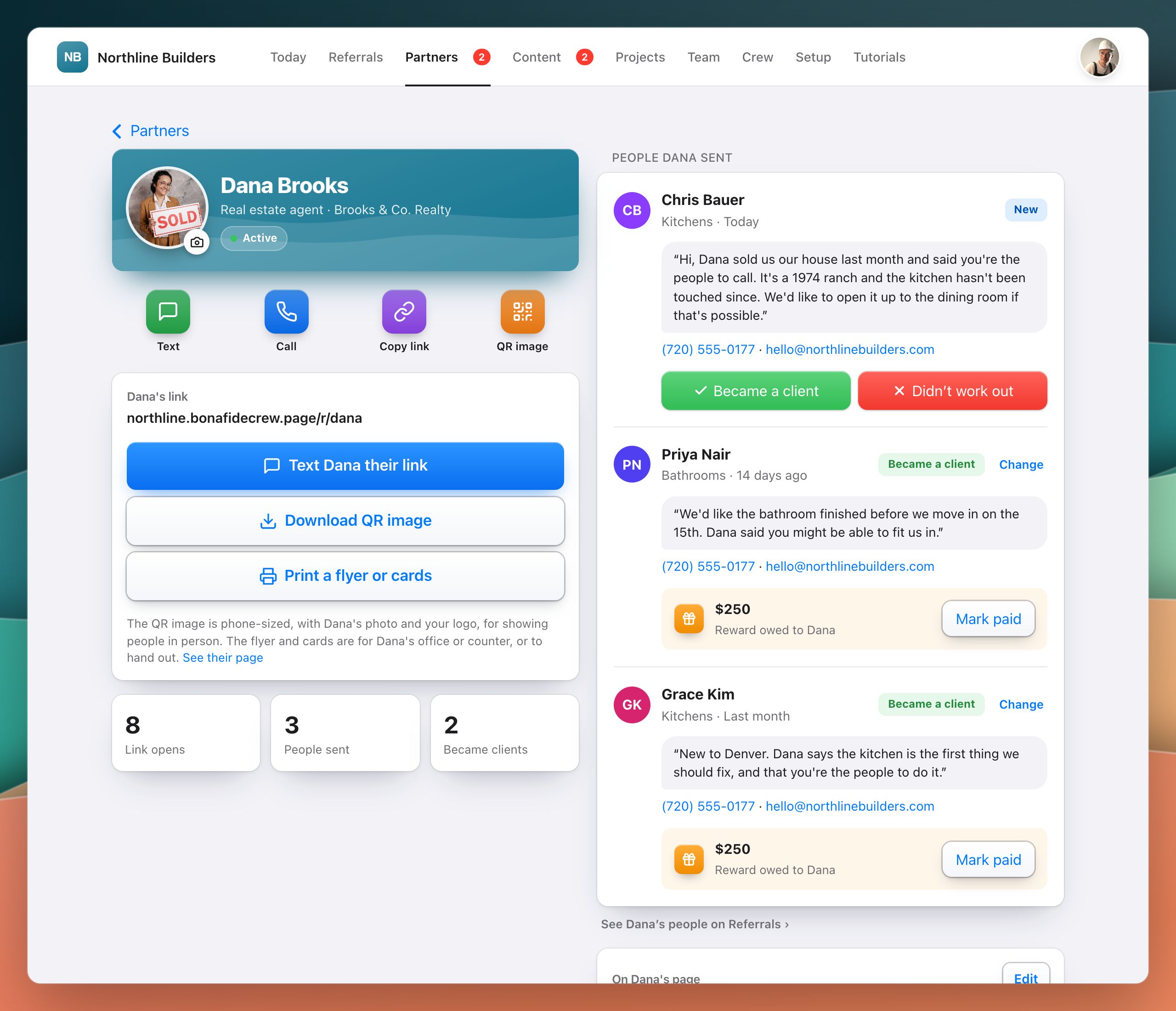
Click their name in your list. Everything you need is on their screen.
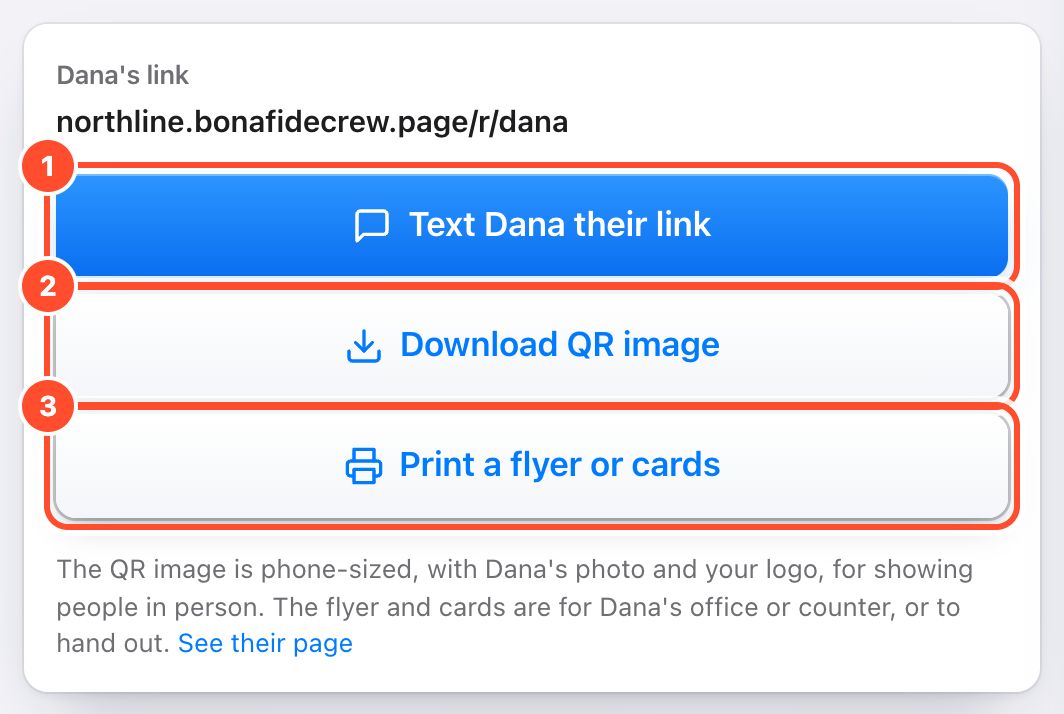
- 1. Text Dana their link
- On a phone, this opens a message with their link and QR picture ready to send. On a computer, it copies the message and downloads the picture, so you can paste it into a text or email.
- 2. Download QR image
- A picture to show people in person. Anyone who scans it lands on their page.
- 3. Print a flyer or cards
- For their office or counter. See Posts, QR flyers and your Website Box.
-
See what their friends see
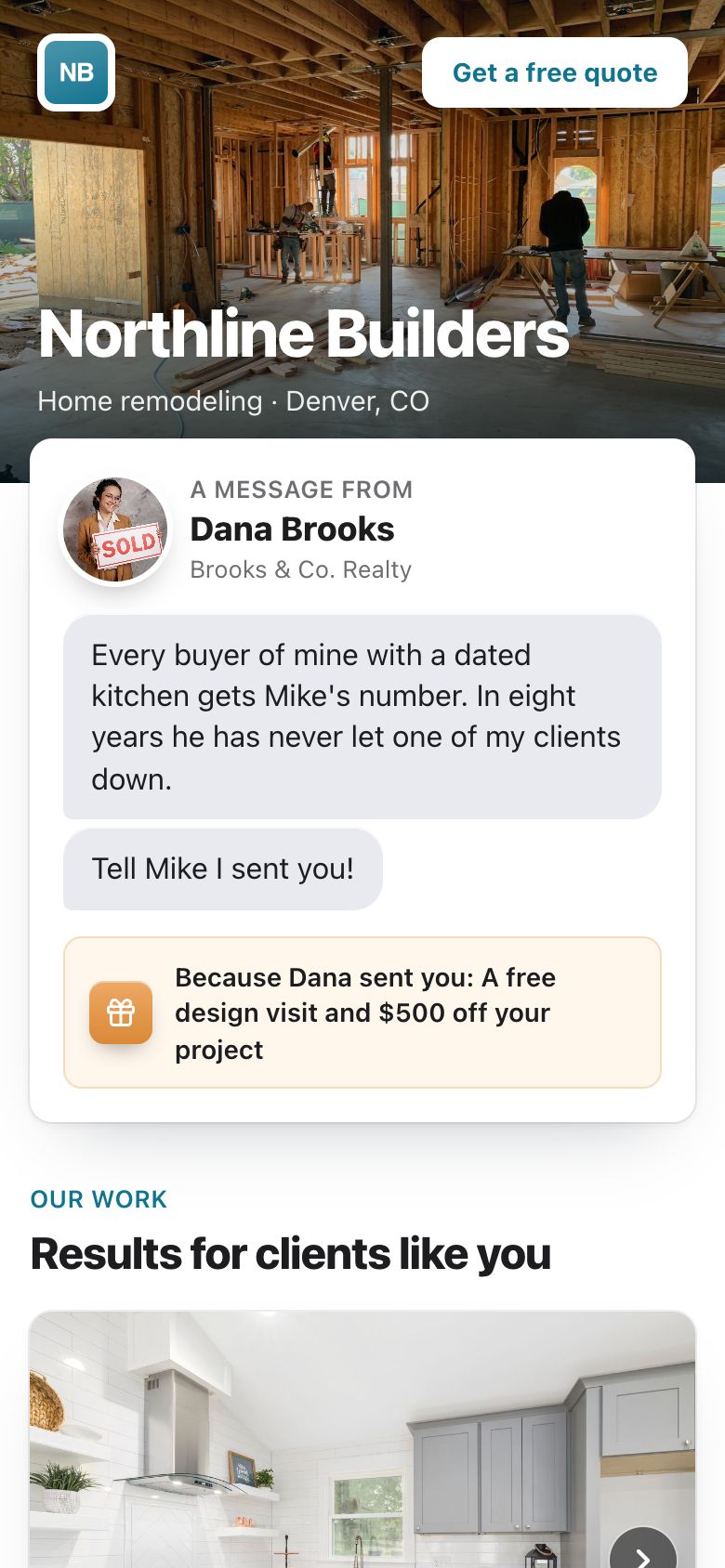
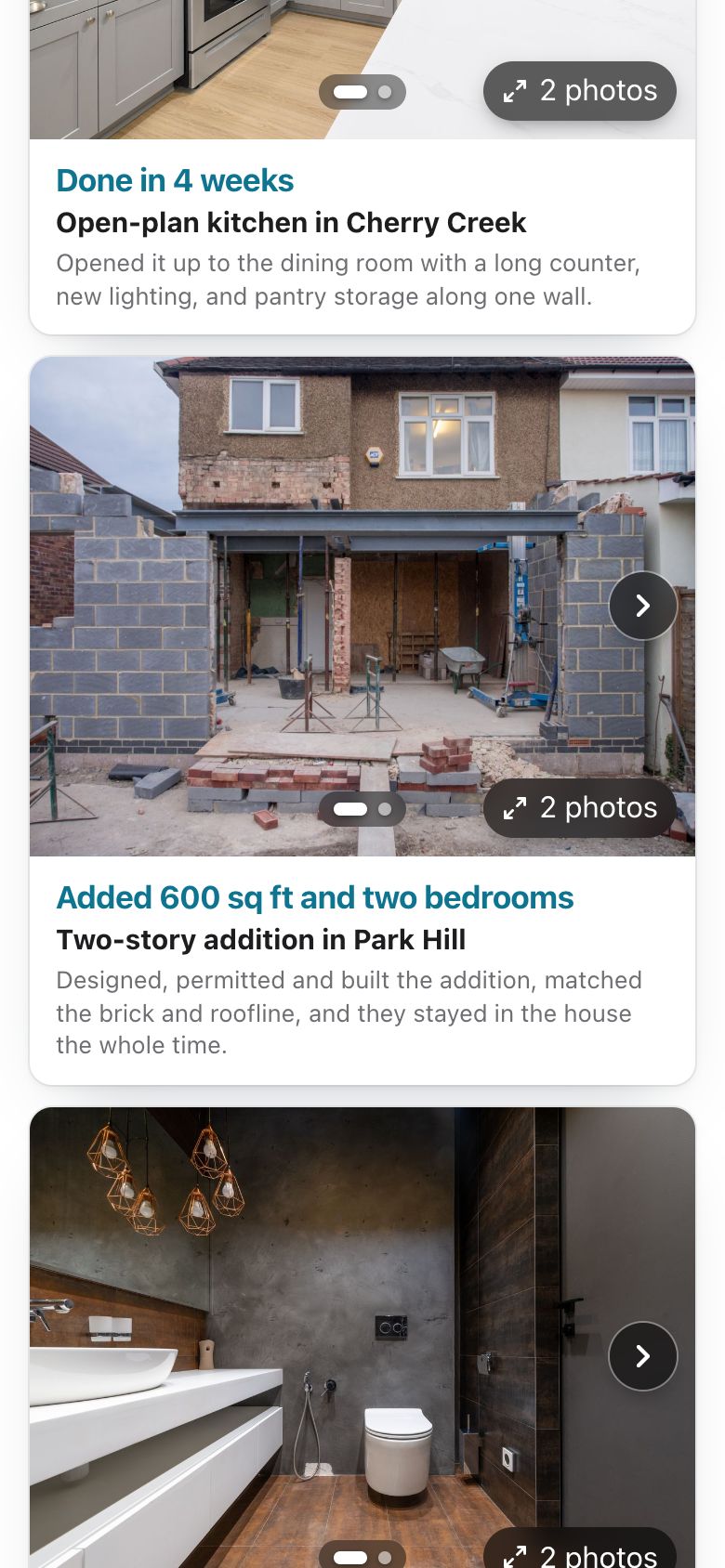
Click See their page. It reads like a text from a friend: their recommendation first, then your work, what your clients say, and a short form.
-
Put their own words at the top
Their page starts with a line in their words. Click Edit and ask them for one sentence. A real sentence from them is the best thing on the page.
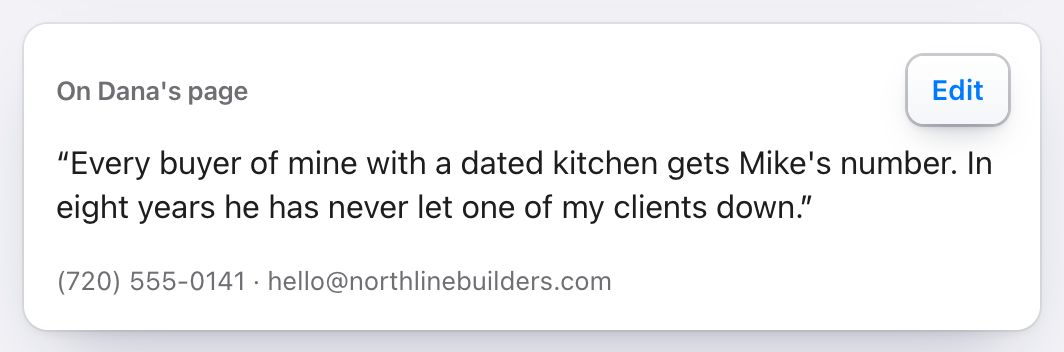 Something like this
Every buyer of mine with a dated kitchen gets Mike's number. In eight years he has never let one of my clients down.
-
Approve people who ask to join
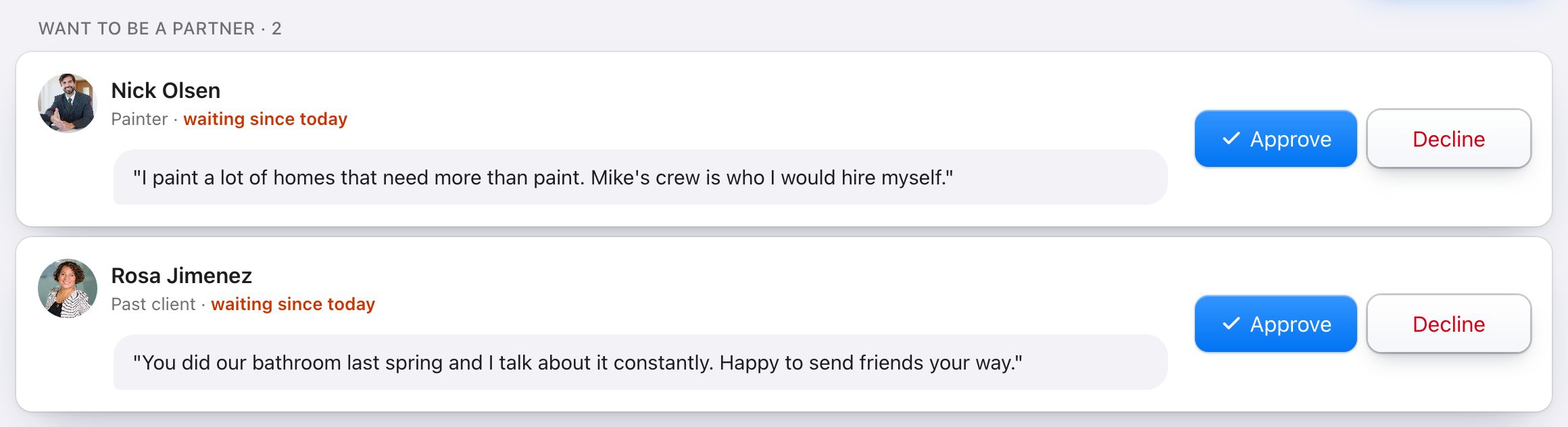
Anyone can ask to be a partner at your own web address. On Partners, it is at the top: click Copy link to send it to them. Requests wait at the top of the screen. Nobody becomes a partner until you click Approve.

-
Set a reward, if you offer one
A reward is optional. Set it in Setup under Partners and their pages. You pay it yourself when someone they send becomes a client, and the app keeps track of what you owe. See The Setup page.
Stuck? Write to us at support@bonafidecrew.com.